 LUT Cam
Cinematic video, graded as you shoot
Pick a look, set how strong it is, press record. What you see in the viewfinder is what lands in the clip, and you can change the look in the middle of a take. No editing afterwards, no export step, no watermark.
Free: 1080p at 24 or 30 fps with sound, 10 looks, 3 imported LUTs. No ads, no account, no time limit.
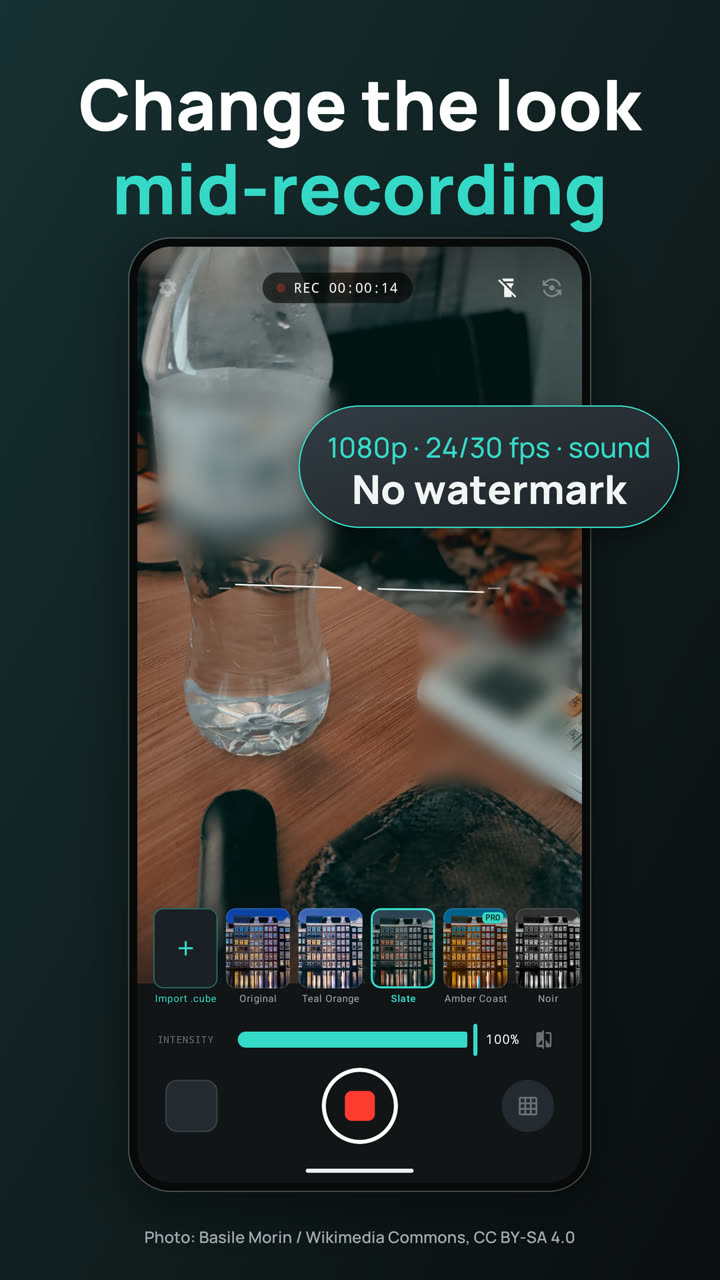
One screen, built for recording
The app opens straight on the camera. Everything else is a sheet you pull up and put away.
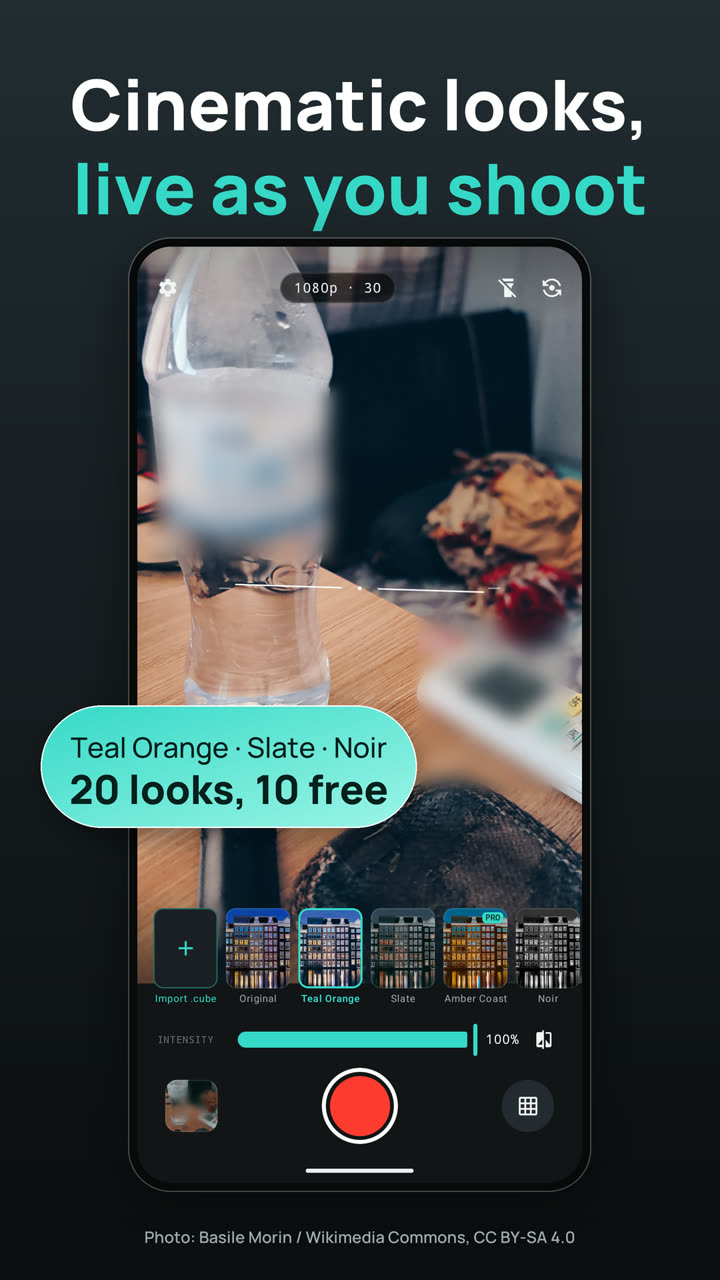
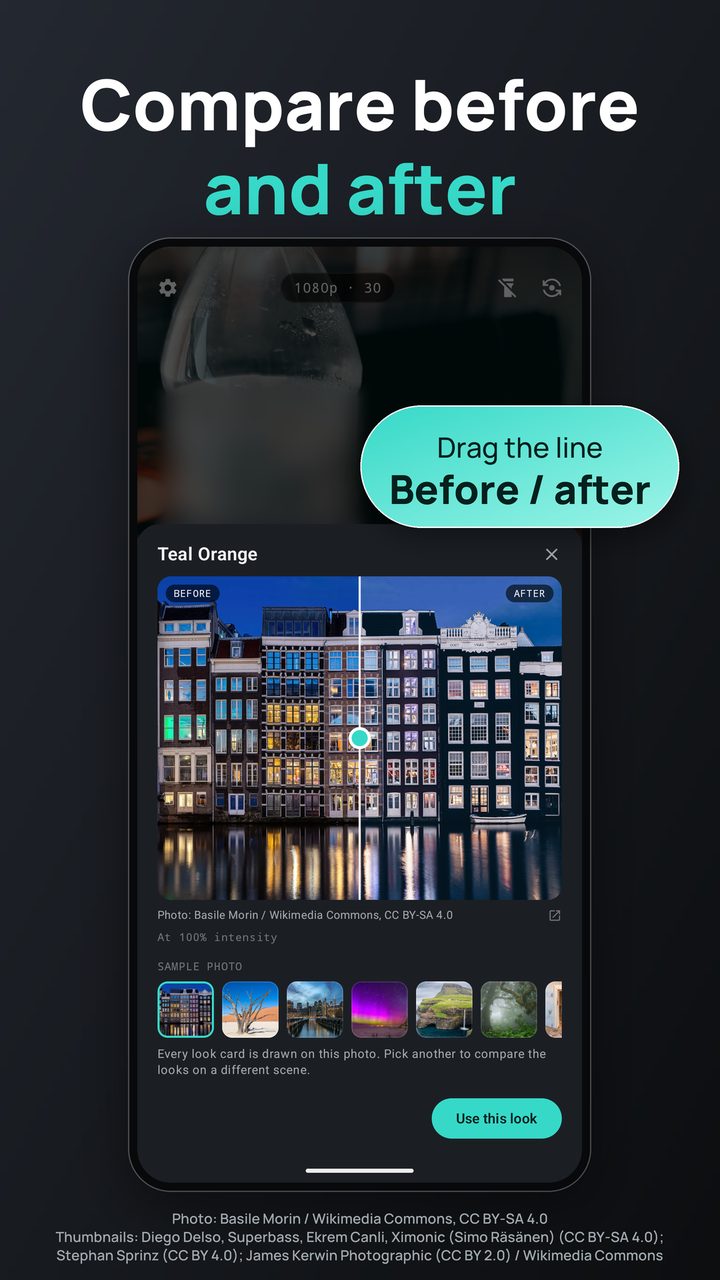
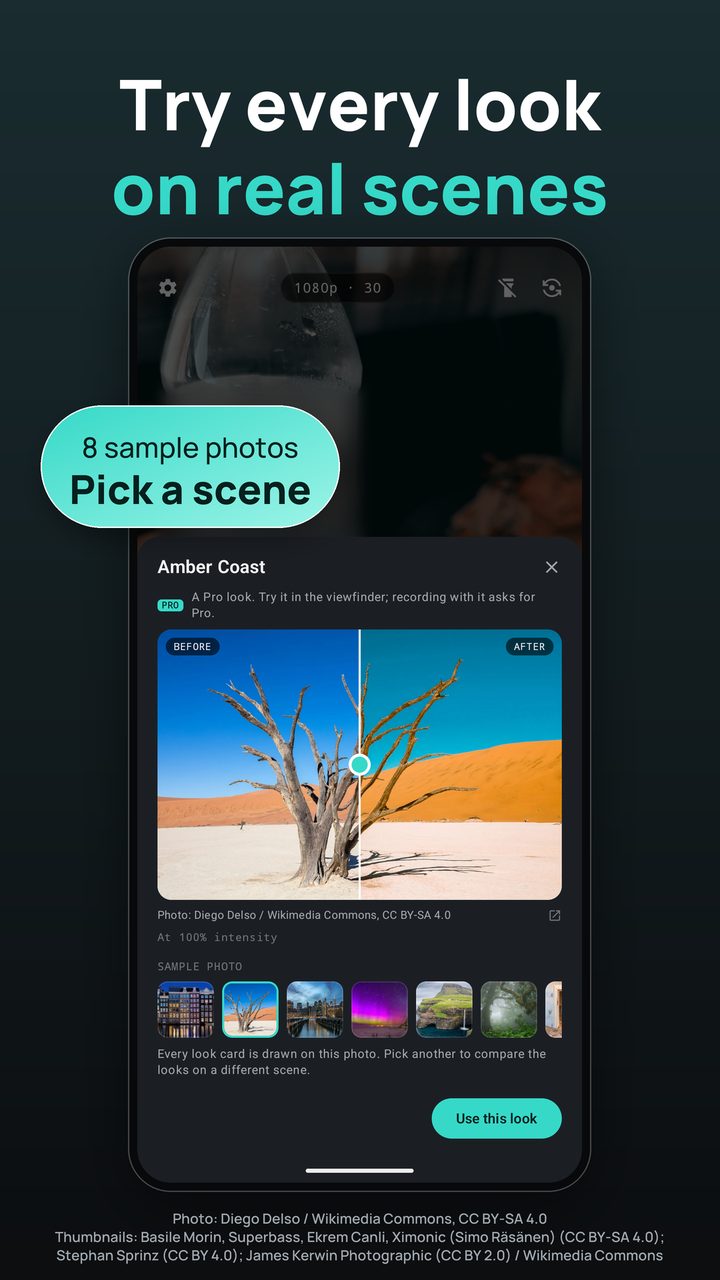
Sample photos in these screenshots are Wikimedia Commons Picture of the Year finalists; each screenshot carries its credit, and all eight are listed under Photo credits.
20 looks, live in the viewfinder
Each look is a colour table (a 3D LUT) applied to every frame on the phone's graphics chip, at the intensity you set, from 0 to 100%. Ten are free for good.
The looks
Change it mid-take
- Swipe to another look while recording; the clip follows every change
- Drag the intensity at any moment
- Pro looks can be tried live before you decide; recording with one asks for Pro
Before and after
- Hold a look card to compare it on a sample photo, split by a line you drag
- Eight sample scenes, from canal houses at blue hour to desert dunes and northern lights
- Every card in the carousel is drawn on the scene you pick
Your own .cube files
- Import any .cube LUT through Android's file picker
- It joins the carousel with a live thumbnail, and records like any other look
- Three imports are free; Pro keeps as many as you like
Format, frame and the record button
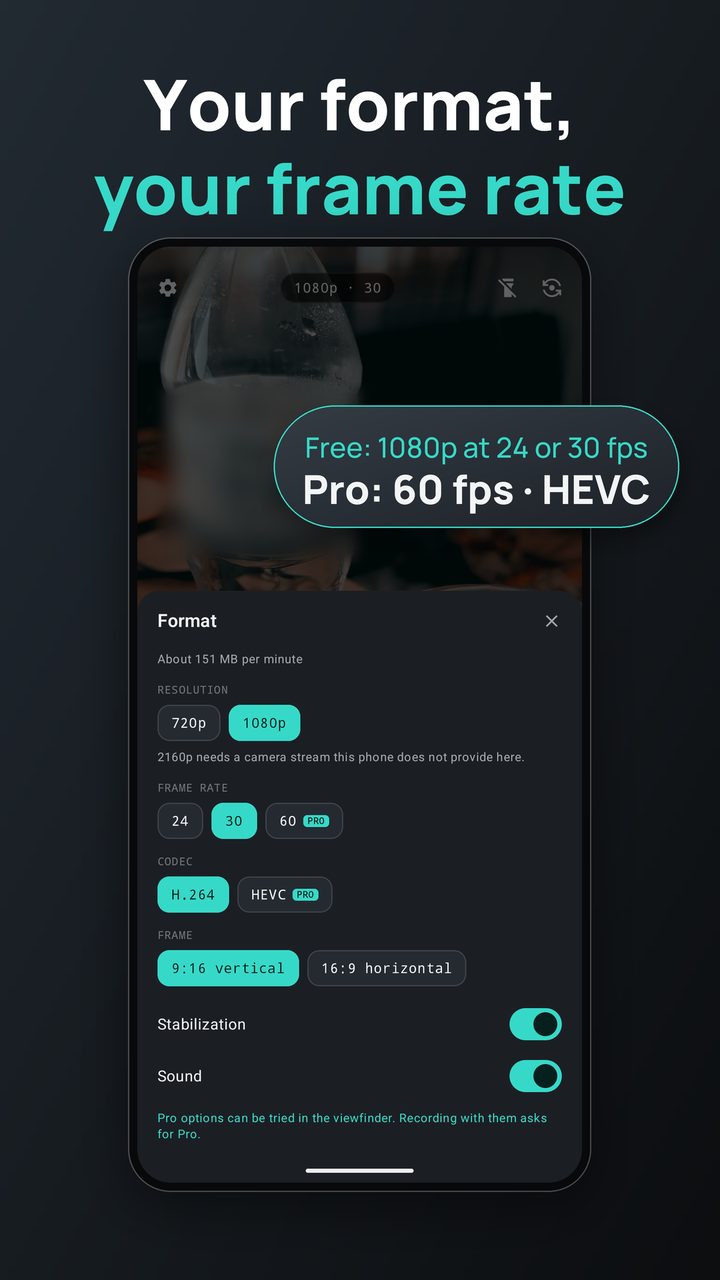
Format
- 720p or 1080p at 24 or 30 fps, with sound, free
- H.264 for files that open anywhere; HEVC with Pro
- 60 fps and 2160p with Pro, where the phone's camera offers them
- Video stabilization where the camera has it
- 9:16 vertical, or 16:9 with the phone held sideways
- A plain message if the phone's encoder refuses a format
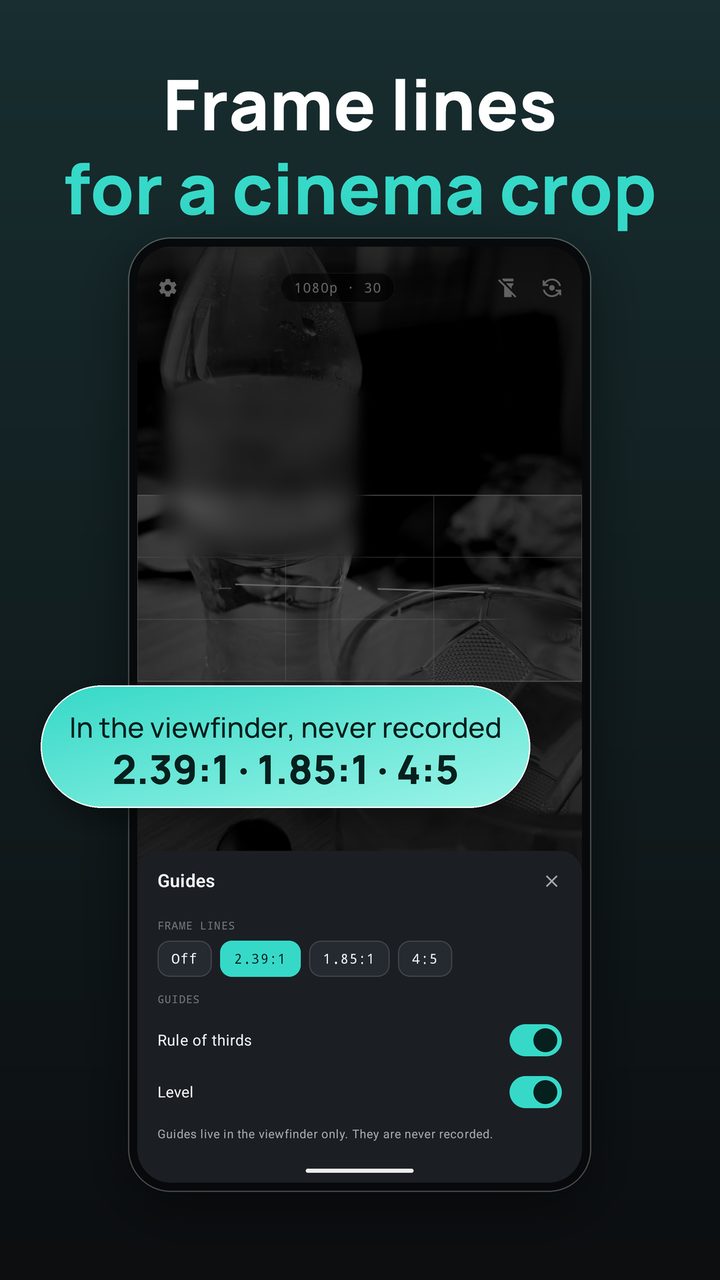
Frame lines
Compose for a cinema crop or a feed crop. Guides live in the viewfinder only and are never recorded.
- Rule of thirds grid
- Level, so the horizon stays straight
On the record screen
- A running REC counter
- Torch, and front or back camera
- The last clip one tap away, in your video player
- The screen stays on while you record
- Leave the app and the recording stops and is saved
- Clips go to Movies/LUT Cam, where your gallery sees them
Free is a real camera
No watermark, no ads and no time limit, whether or not you buy anything. LUT Cam Pro is an optional Google Play purchase: monthly, yearly, or one lifetime payment. Prices come from Google Play for your country and are shown in the app.
| Free | Pro | |
|---|---|---|
| Looks | 10 curated looks | All 20 |
| Your .cube files | 3 | Unlimited |
| Resolution | 720p, 1080p | Plus 2160p where the camera allows |
| Frame rate | 24, 30 fps | Plus 60 fps where the camera offers it |
| Codec | H.264 | Plus HEVC (smaller files) |
| Sound, stabilization, frame lines | Yes | Yes |
| Watermark, ads, time limit | None | None |
Your clips stay on your phone
Every frame is graded on the device and saved to your own storage. Nothing you record is uploaded. There is no account and no advertising ID, and the anonymous usage and crash reports can be switched off in Settings.
FAQ
Is the look baked into the video?
Yes. LUT Cam applies the look to every frame as it records, so the saved MP4 already looks the way the viewfinder did. There is no separate export.
Can I change the look while recording?
Yes, and the intensity too. The clip follows each change from that frame on. A Pro look cannot be switched to mid-take without Pro; stop recording to try it.
Which LUT files can I import?
3D LUTs in the .cube format, picked through Android's file picker from your phone or a cloud drive. Free keeps three; Pro keeps any number.
Why is 60 fps or 2160p missing on my phone?
LUT Cam only offers what the phone's camera and encoder can deliver while the look is applied live. The format sheet says when a setting is not available on your phone.
Where are my clips?
In Movies/LUT Cam on your phone. Your gallery and video apps see them there, and the thumbnail beside the record button opens the last one.
Is there a limit on how long a clip can be?
No time limit, free or Pro. A single file stops at 4 GB, about 25 minutes of 1080p at 30 fps; the clip is saved and you can press record again straight away.
Does the microphone have to be on?
No. Android asks for it the first time you record with sound on. Say no, or turn sound off in the format sheet, and clips record silently.
The sample photos
The eight scenes the look cards and the before/after compare are drawn on, in the app and in the screenshots above, are Wikimedia Commons Picture of the Year finalists. LUT Cam resizes them and applies looks to them, which changes their colours.
| Photo | Author | Licence |
|---|---|---|
| Canal houses at blue hour, Damrak, Amsterdam | Basile Morin | CC BY-SA 4.0 |
| Dead Vlei, Sossusvlei, Namibia | Diego Delso | CC BY-SA 4.0 |
| Lower Manhattan from Brooklyn Bridge Park | Superbass | CC BY-SA 4.0 |
| Aurora and Perseids over Norderney | Stephan Sprinz | CC BY 4.0 |
| Múlafossur waterfall, Vágar, Faroe Islands | Ekrem Canli | CC BY-SA 4.0 |
| Foggy Fanal forest, Seixal, Madeira | Ximonic (Simo Räsänen) | CC BY-SA 4.0 |
| Abandoned building, Kolmanskop, Namibia | James Kerwin Photographic | CC BY 2.0 |
| Iceberg in Fohn Fjord, Northeast Greenland | Rita Willaert | CC BY 2.0 |


.jpg)
The screenshots on this page show these photos with LUT Cam looks applied; as adaptations of the CC BY-SA photos, they are shared under CC BY-SA 4.0.